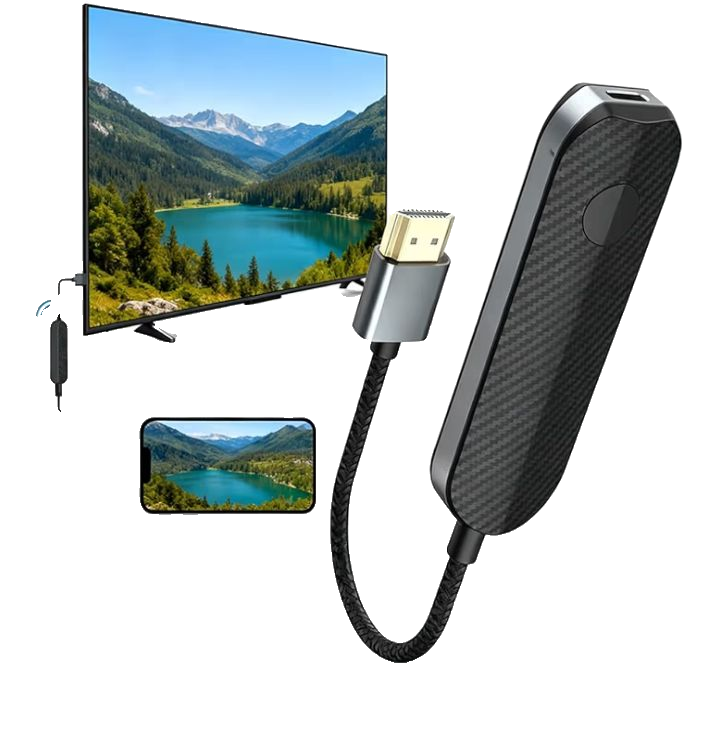
Wireless Display Adapter
Wireless Display Adapter
Wireless Display Adapter
A wireless display adapter is a small device that allows you to mirror or extend the screen of a smartphone, tablet, or computer onto a TV, monitor, or projector without using an HDMI cable. It connects via Wi-Fi or similar wireless technology and acts as a bridge between your device and the display screen.
How It Works
The adapter plugs into an HDMI port on a TV or monitor and connects to a power source (USB or adapter). It creates a wireless connection between your source device and the display using technologies like Miracast, Chromecast, or AirPlay. Once connected, it transmits audio and video signals in real time.
Main Benefits
It removes the need for cables, making setups cleaner and more flexible. It supports screen sharing for presentations, streaming, gaming, and media playback. It also allows multiple devices to connect easily in some models.
Key Features to Consider
Key features include compatibility with operating systems (Windows, Android, iOS, macOS), supported resolution (HD, Full HD, 4K), connection stability, latency performance, and supported casting protocols. Dual-band Wi-Fi support and low-latency mode are also important for smooth streaming.
Where You Can Use It
It is commonly used in homes, offices, classrooms, conference rooms, and entertainment setups. It is ideal for presentations, video streaming, online meetings, and gaming on larger screens.
Battery and Charging
Most wireless display adapters do not have internal batteries. They are powered continuously via a USB port or external power adapter connected to the display device.
Ease of Use
Setup is generally simple: plug the adapter into HDMI, connect power, and pair it with your device through settings or a dedicated app. Many modern adapters support plug-and-play functionality.
Maintenance Tips
Keep the adapter firmware updated for better performance and compatibility. Ensure stable Wi-Fi connectivity and avoid physical obstructions near the device. Clean the HDMI port area occasionally to maintain good connection quality.
Pros and Cons
Pros: Cable-free setup, easy installation, supports multiple devices, useful for presentations and streaming.
Cons: May experience slight lag, depends on Wi-Fi strength, limited compatibility in some low-end models, potential resolution reduction in cheaper versions.
Who Should Buy It
It is ideal for professionals giving presentations, teachers, students, home entertainment users, and anyone who wants a clutter-free screen-sharing solution without HDMI cables.
Final Thoughts
A wireless display adapter is a convenient tool for modern connectivity needs. It simplifies screen sharing and enhances flexibility, though performance depends heavily on Wi-Fi quality and device compatibility.



Reviews
There are no reviews yet.